
eRaksha
Two apps. One family. No secret spying.
eRaksha Parents goes on your phone. eRaksha Kids goes on your child's. Together they filter harmful sites, set fair rules for every app, switch off Shorts and Reels, and turn every block into a kind moment instead of a fight.
Set up in three steps
 Parents
 Kids
- 01
Install eRaksha Parents
On your own Android phone. Sign in with email, phone or Google.
- 02
Pair your child's phone
Install eRaksha Kids on their phone and enter the 6-digit code from your app.
- 03
Agree the rules together
Turn on the web filter, set app limits, switch off Shorts. Your child sees exactly what changed.
On your phone: eRaksha Parents
Calm, clear and never creepy. Everything you need to know they're safe, nothing that reads their private life.
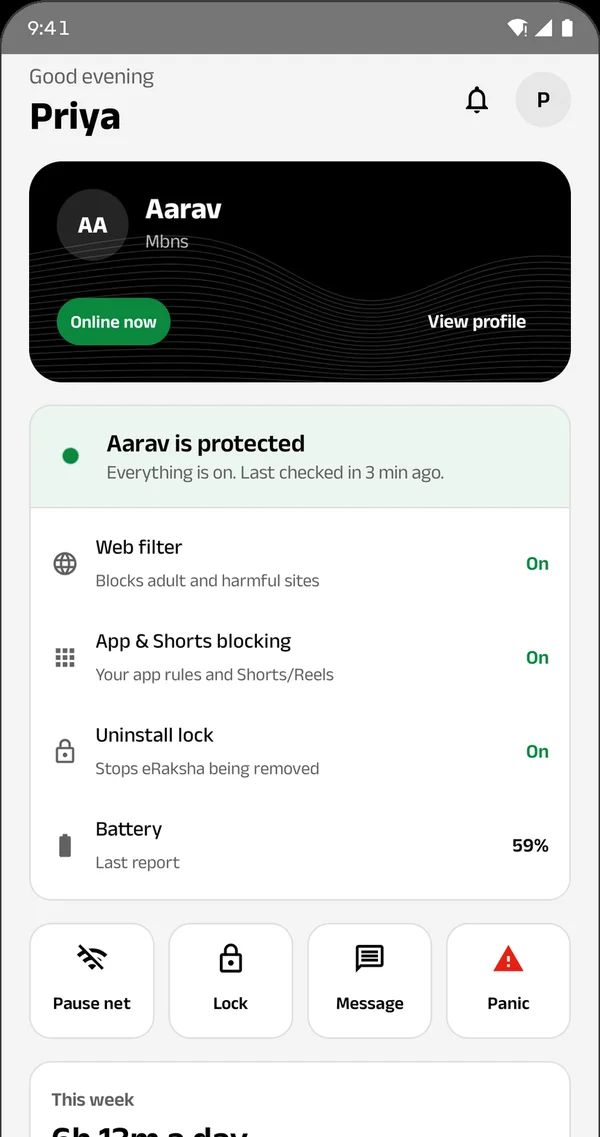
Know they're protected, at a glance
Web filter, app blocking and uninstall lock, live.
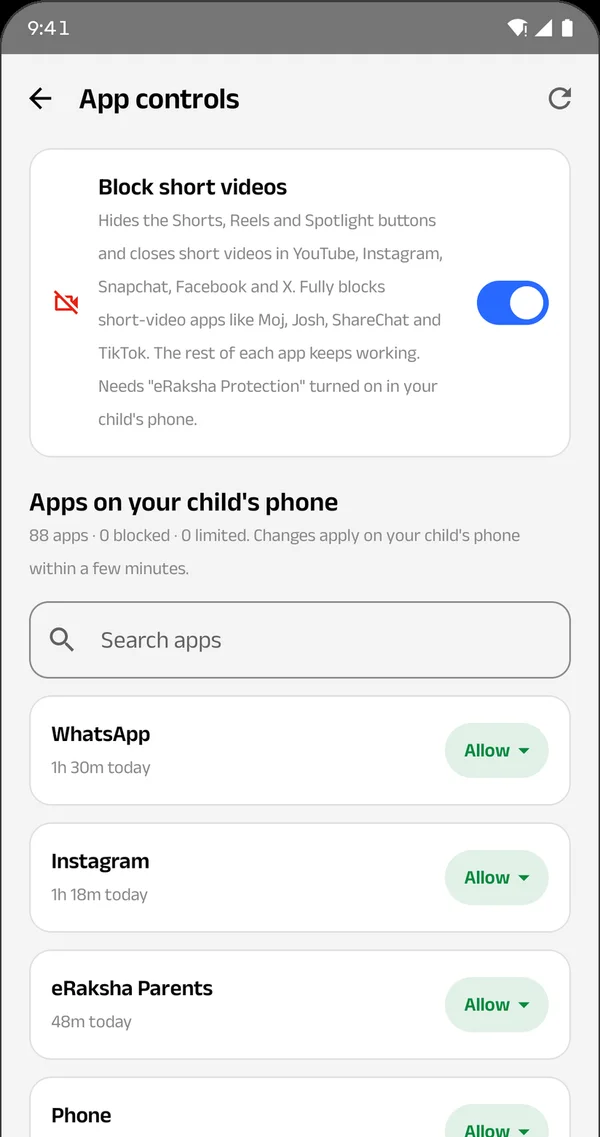
Allow, limit or block any app
Hide Shorts and Reels without blocking the whole app.
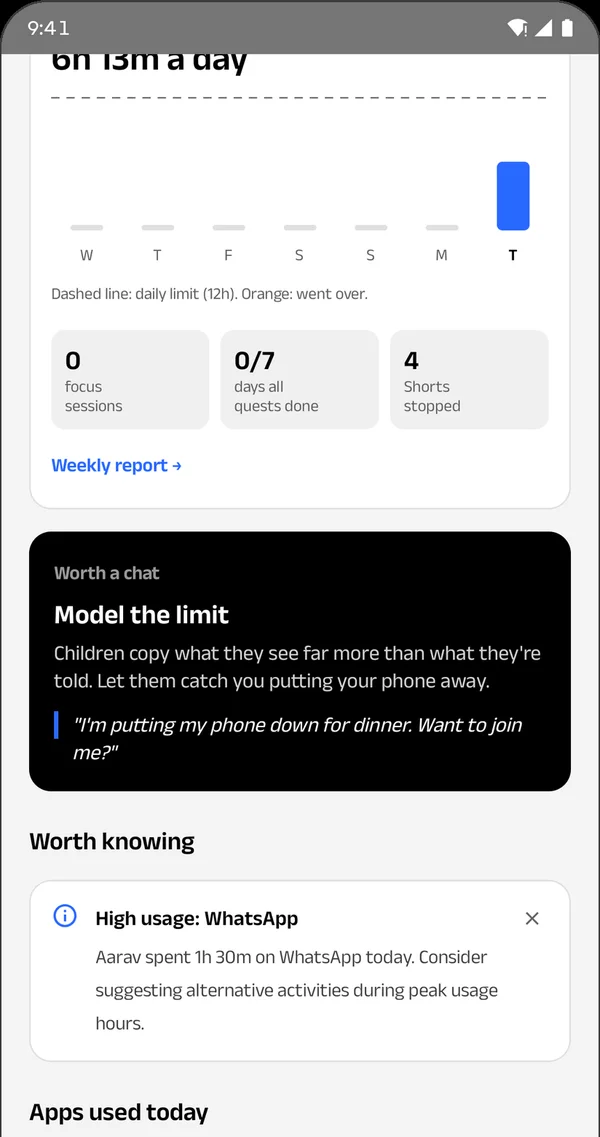
Patterns, not surveillance
A weekly view, and one thing worth talking about.
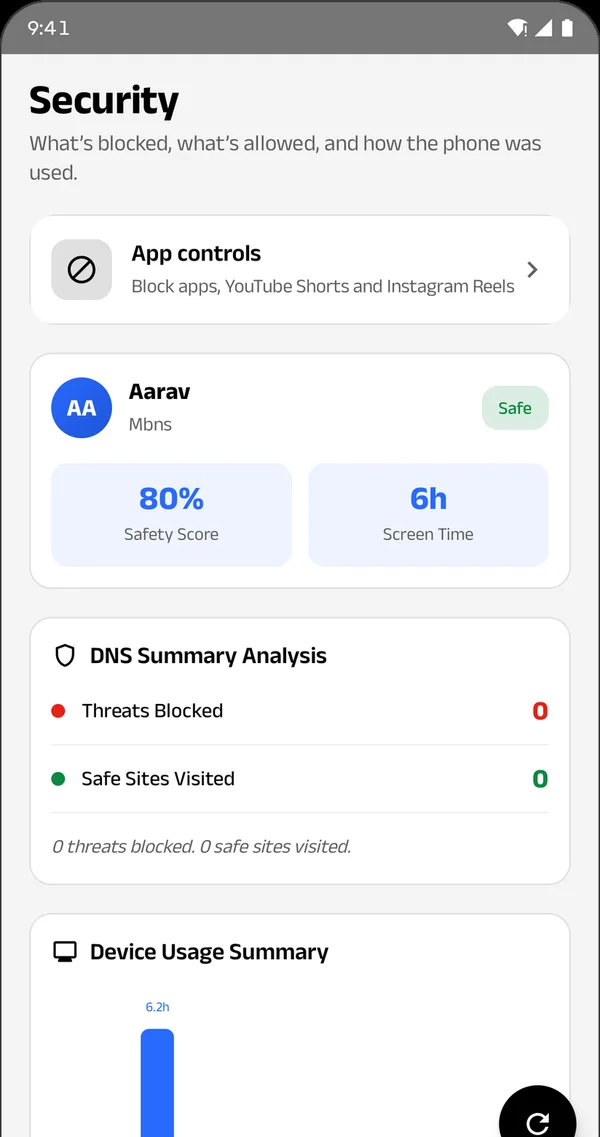
See what was blocked, and why
Harmful sites and apps stopped before they load.
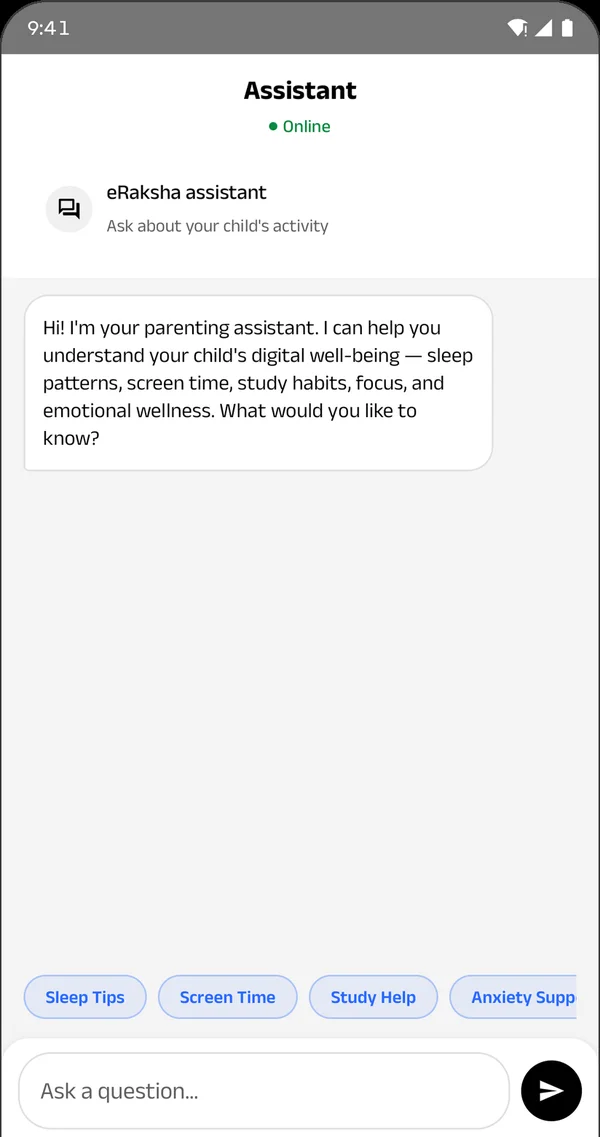
Ask about your child's habits
Sleep, screen time and focus, explained simply.
On their phone: eRaksha Kids
Playful, kind and honest. It never calls them a kid, never scolds, and always says why.
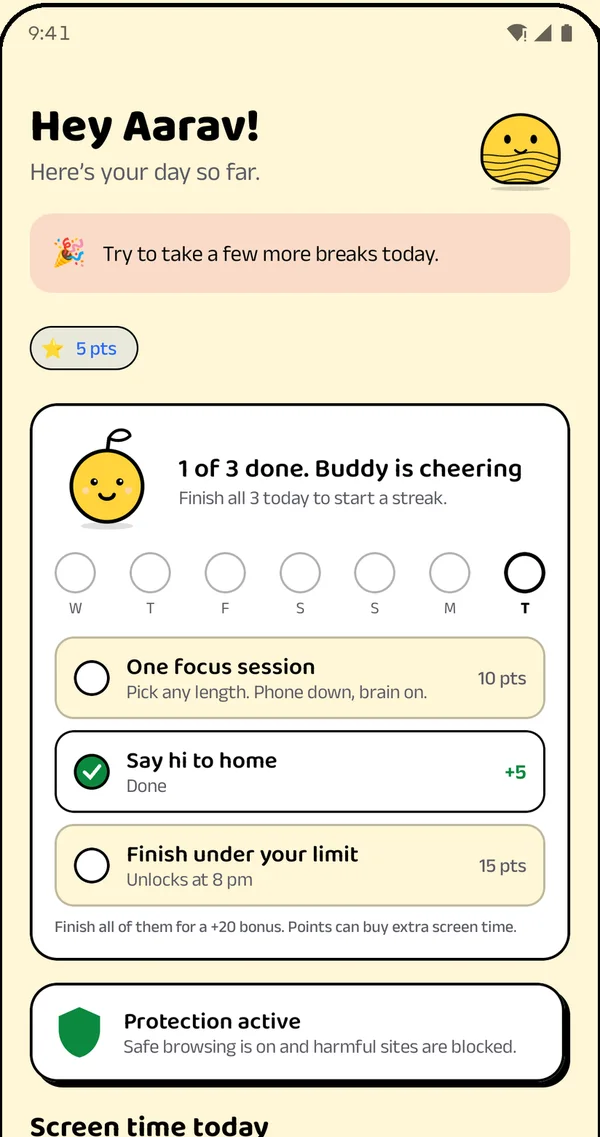
Daily quests that feel like a game
Points for focus, check-ins and good habits.
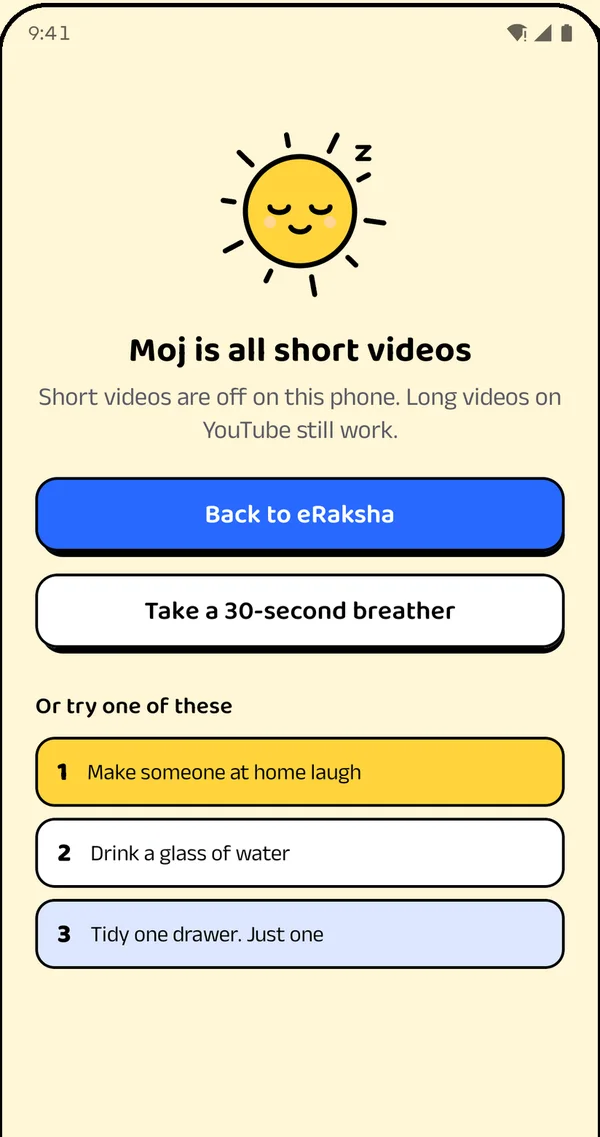
Blocked, but never scolded
A kind pause, with ideas for what to do instead.
A 30-second breather
Calm down before jumping back in.
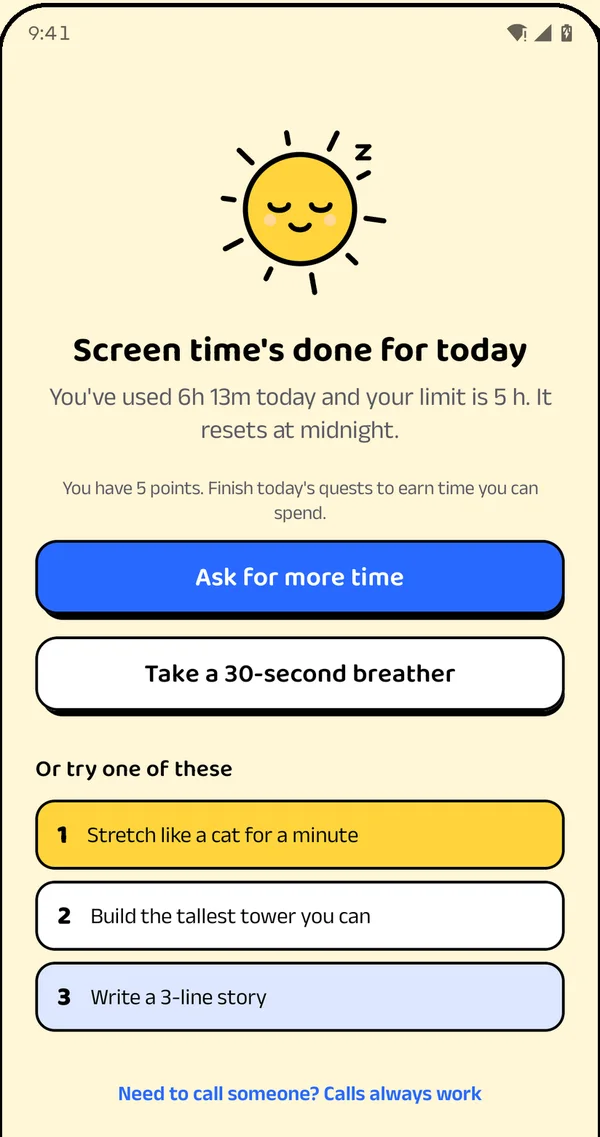
Earn your extra time
Spend quest points, or ask a parent in one tap.
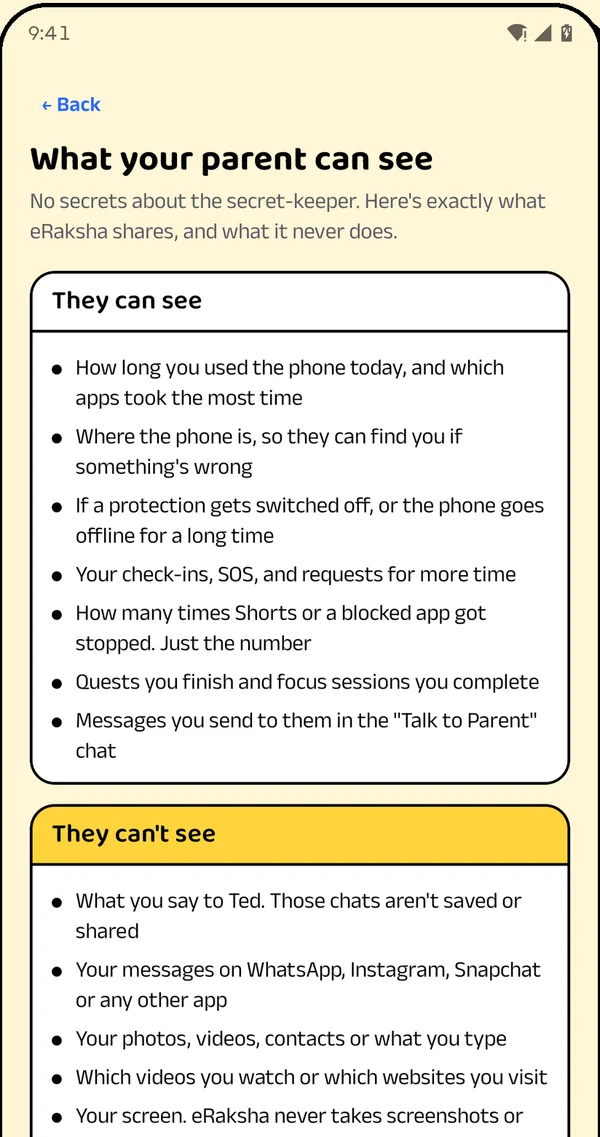
No secret spying
Your child sees exactly what you can and can't see.
Shorts and Reels, off. Everything else, on.
The endless scroll is the part parents worry about most. Now it's one switch.
eRaksha Parents
Block short videos
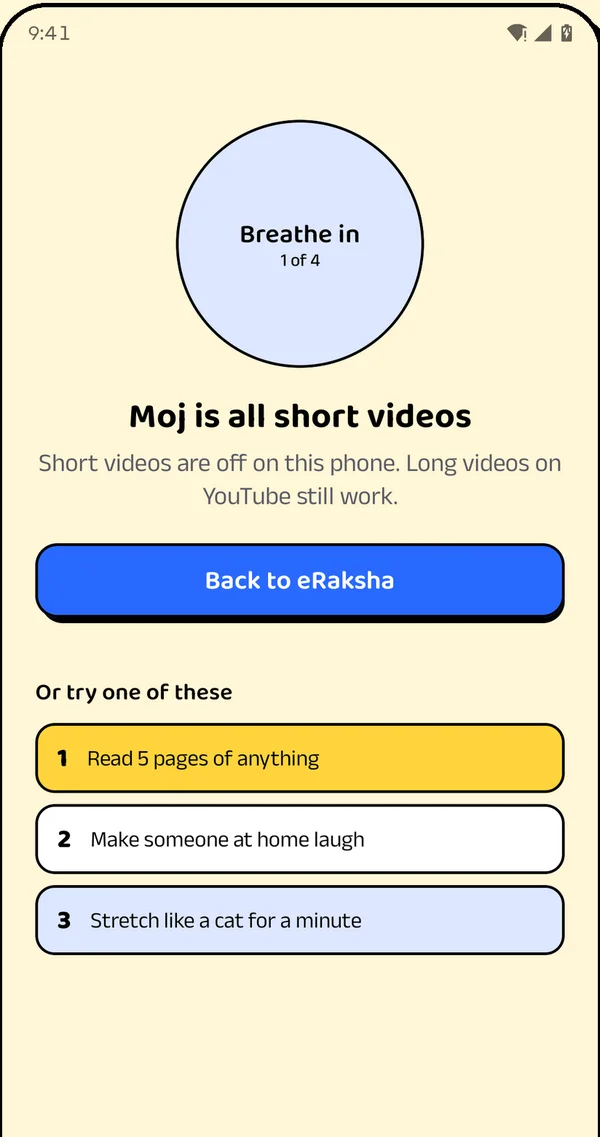
Short videos are off on this phone
Everything else still works:
- Long videos on YouTube
- Messages and calls
- Search and homework apps
Take a 30-second breather
- Shorts, Reels and Spotlight, hidden
- eRaksha hides the short-video buttons and closes short videos in YouTube, Instagram, Snapchat, Facebook and X.
- The rest of each app keeps working
- Long videos on YouTube, messages and search still work. Only the endless scroll goes.
- Short-video apps fully blocked
- Apps that are all short videos, like Moj, ShareChat and TikTok-style apps, are blocked outright.
- A kind screen, not a dead end
- Your child sees why, plus a breather or a quest. You see a count, not what they tried to watch.
What you can see. What you can't.
The same list your child sees inside eRaksha Kids.
You can see
- How long the phone was used today, and which apps took the most time
- Where the phone is, so they can find you if something's wrong
- If a protection gets switched off, or the phone goes offline for a long time
- Check-ins, SOS, and requests for more time
- How many times Shorts or a blocked app got stopped. Just the number
- Quests finished and focus sessions completed
- Messages sent to them in the “Talk to Parent” chat
You can't see
- What your child says to Ted. Those chats aren't saved or shared
- Messages on WhatsApp, Instagram, Snapchat or any other app
- Photos, videos, contacts or what they type
- Which videos they watch or which websites they visit
- The screen. eRaksha never takes screenshots or records it
Privacy you can check, not just trust.
The full detail is in our privacy policy.
No ads. No data selling.
eRaksha is paid for by families and schools, never by advertisers.
Your family's data stays in India
eRaksha stores family data on servers in India, designed for the DPDP Act.
Ted's chats stay private
Messages to Ted are sent to our AI provider only to write a reply. They aren't saved by eRaksha or shown to parents.
Accessibility, used narrowly
Only to hide Shorts and Reels buttons, close apps you blocked and stop eRaksha being removed. It never records the screen.
Location for safety, nothing else
So you can find the phone, get SOS alerts with a location, and know when it reaches a place you set.
Delete everything, any time
Delete your account in the app or at api.slatemate.in/delete-account, and all your children's data goes with it.
eRaksha: common questions
What is eRaksha?
eRaksha is a child-safety app from India made of two apps. eRaksha Parents goes on the parent's phone and shows protection status, app rules and weekly patterns. eRaksha Kids goes on the child's phone: it filters harmful sites, applies the parent's app rules, explains every block kindly and offers quests, a breather and a chat buddy called Ted.
Can eRaksha block Instagram Reels and YouTube Shorts without blocking the whole app?
Yes. One switch in eRaksha Parents hides the Shorts, Reels and Spotlight buttons and closes short videos in YouTube, Instagram, Snapchat, Facebook and X, while the rest of each app keeps working. Apps that are all short videos, like Moj and ShareChat, are blocked outright.
Does eRaksha read my child's messages or record the screen?
No. eRaksha never reads messages on WhatsApp, Instagram or any other app, never sees photos, contacts or what your child types, and never takes screenshots or records the screen. Your child can see exactly what you can and can't see inside eRaksha Kids.
How much does eRaksha cost?
eRaksha has a Free plan that is free forever and a Premium plan at ₹199 per month per child (limited-time offer, regularly ₹349), or ₹2,101 a year with an extra 12% off. Schools can roll it out to every enrolled child at ₹999 per child per year.
When can I download eRaksha?
Very soon. We planned to launch on 14 November 2026 and are taking a few extra days to finish Google Play review and final testing. Join the waitlist and you'll get it first.
Which phones does eRaksha work on?
eRaksha works on Android phones running Android 10 or newer. iPhone and web support are planned.